Interface
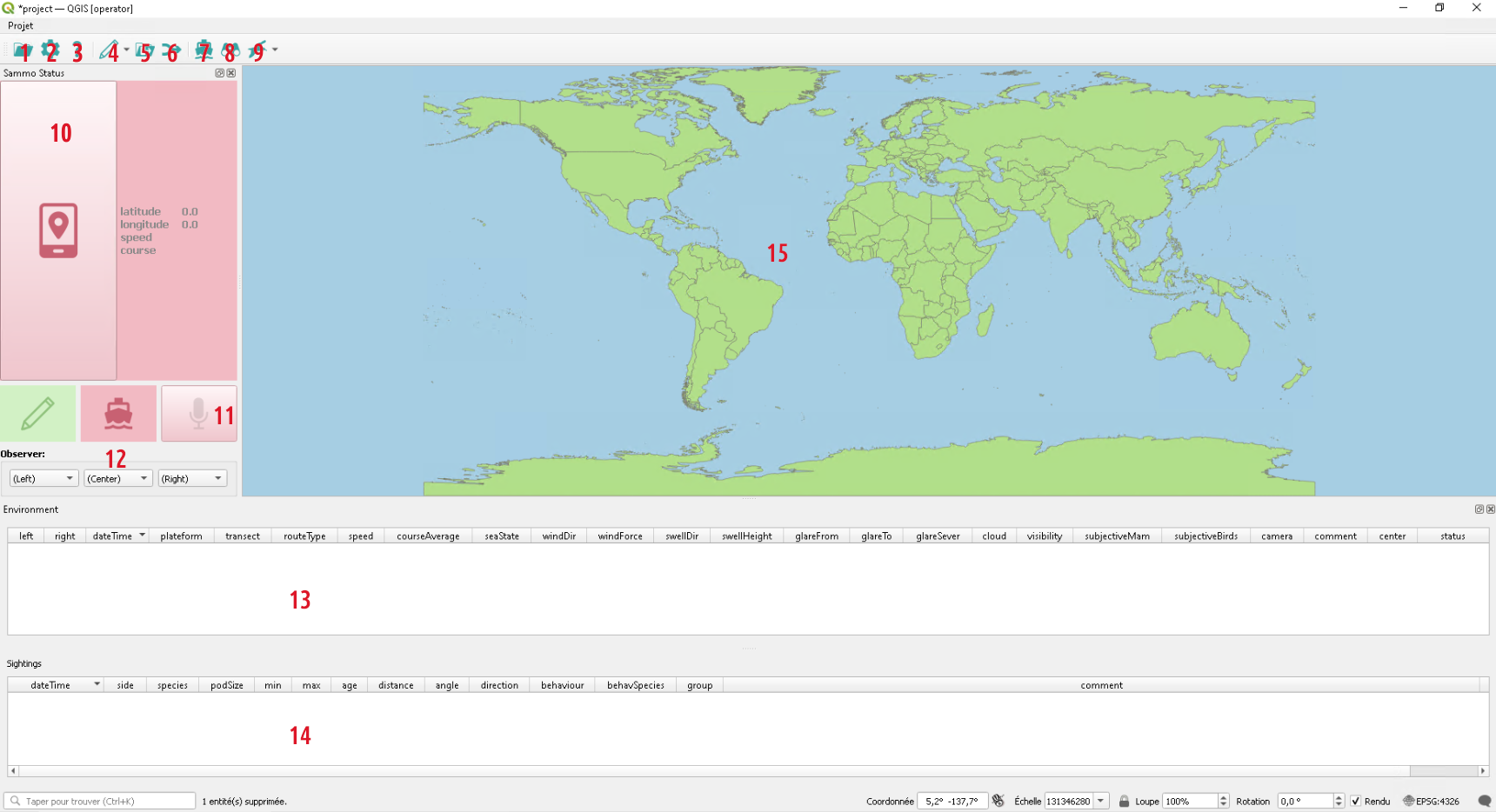
The present capture shows the operator profile that includes only Sammo-boat features.
Toolbar
Most Sammo-boat tools are available in the plugin toolbar.
1 -  Session button
This button allows to open an existing session or create a new session (cf. Session)
2 -  Settings button
This button allows to open the settings dialog, to configure administrators tables.
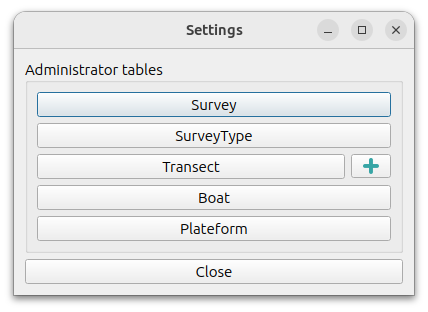
Survey button opens the single entity of the table which can be modified to fulfill the session metadata. In the Survey table, survey attribute list values come from the SurveyType table, shipName attribute list values come from the Boat table.
SurveyType, Transect, Boat and Plateform buttons open their tables dialog as each can contains more than one entity.
Especially for Transect table, it is possible to import a linear layer (EPSG:4326). The imported layer must have the same attribute names as the Transect table (transect,strateType,subRegion,length). Transect entity reference will be available in the Environment table.
3 -  Documentation button
Documentation button opens the Sammo-boat documentation.
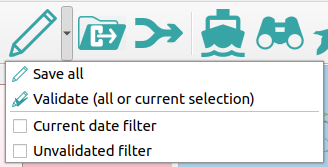
4 -  Validation button
This button provides several features. The main action is used to save the
current session, including all layers and the project. This action can also be
done by using the Shift+s shortcut.
Futhermore the validation button includes the validation feature, that is used to flag entities as verified. This feature should be used at the end of the acquisition day, to check records without being in the rush. By default, it will validate all records, after checking that environnement records are valids, but user can also select entities in environment/sighting/follower tables to only validate these particular entities.
At the end, there is also two filters that can be activated to filter environment/sighting/follower tables. It can be useful to do the entity check.
5 -  Export button
This button is used to export session into csv or gpkg files.
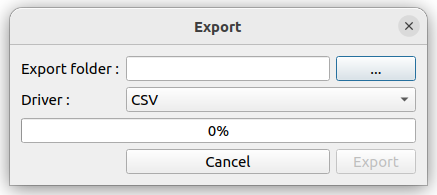
User have to mention the export folder and the driver.
A warning message will be displayed if an effort has no end datetime in the environment layer.
6 -  Merge button
This button is used to merge session. It will open the following dialog :
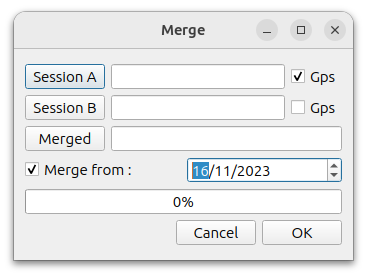
If there is more than one observer on the boat, this feature can be used to merge data from two distinct session. The environment/sighting/follower tables will be merging, avoiding to copy identical entities captured on a previous day. Gps point will be also decimated to keep only one record per minutes.
User can use the gps checkboxes to choose which session gps layer will be kept.
A warning message will be displayed if an effort has no end datetime in the environment layer of one session.
7 -  Environment button
This button add a new environment record in the environment table. The focus is
set on the table (11) in order that the user can fulfill the attributes
(cf 11 - Environment table). This action can also be done by using the Shift+e
shortcut.
8 -  Sighting button
This button add a new sighting record in the sighting table. The focus is
set on the table (12) in order that the user can fulfill the attributes
(cf 12 - Sighting table). This action can also be done by using the Space
shortcut.
9 -  Follower button
This button is used to handle follower entities. The main action is used to add new follower records by opening the follower dialog.
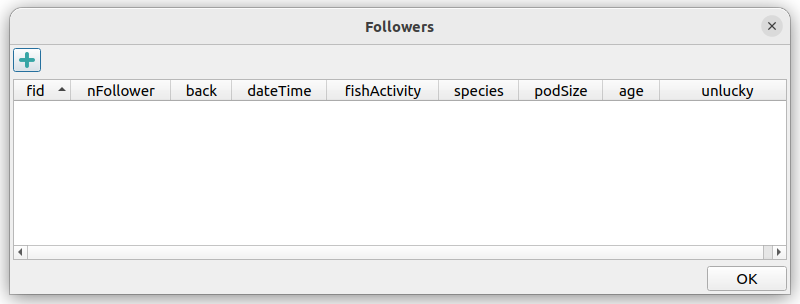
The  button adds a new follower record. The followers added in the same
dialog will have the same timestamp.
button adds a new follower record. The followers added in the same
dialog will have the same timestamp.
This action can also be done by using the Shift+f shortcut.
The second action is used to open the follower table, so that user can check records before the validation.
Status Panel
10 - GPS button
The GPS button is used to enable/disable the GPS. If no GPS is found, a message
box will appear to warn the user. Otherwise  will turn into
  .
.
The GPS infos are displayed aside the button. Futhermore, a new gps entity is created per minut.
11 - Microphone button
By adding a environment/sighting/follower entity, the plugin starts recording.
User will notice it by seeing the  turning into
  .
Each entity will be attached with its sound record. By default the record lasts
one minute. If user wants to short it, he can click on the button
to turn it into .
.
Each entity will be attached with its sound record. By default the record lasts
one minute. If user wants to short it, he can click on the button
to turn it into .
12 - Observer selection
Three combo box are available to select which observer are present on left, center and right side. The available value are generated from the observer table.
When the operator adds a new effort entity in the environment layer, the left/center/right fields will be populated from the current values in these combo boxes.
If needed, these values can be modified by using the “Duplicate or change current feature” action.
Tables and map
11 - Environment table
The environment table is used to modify environment entity attributes. Most attributes are duplicated from the previous entity.
Environment entity describes environmental variables during the session.
To keep trace of different routes, according their routeType attribute.
A status will be assigned automatically to each entity.
Only the Begin status entity will be created by the operator. Entities with
End status will be created only on export.
12 - Sighting table
The sighting table is used to modify sighting entity attributes. Sighting entity describes an observation made by the operator.
13 - Map canvas
User can follow the ongoing session on the map canvas. The following tables are displayed:
world (as background map)
 gps
gps transect
 environmenent
 sighting
 follower